 Downlink
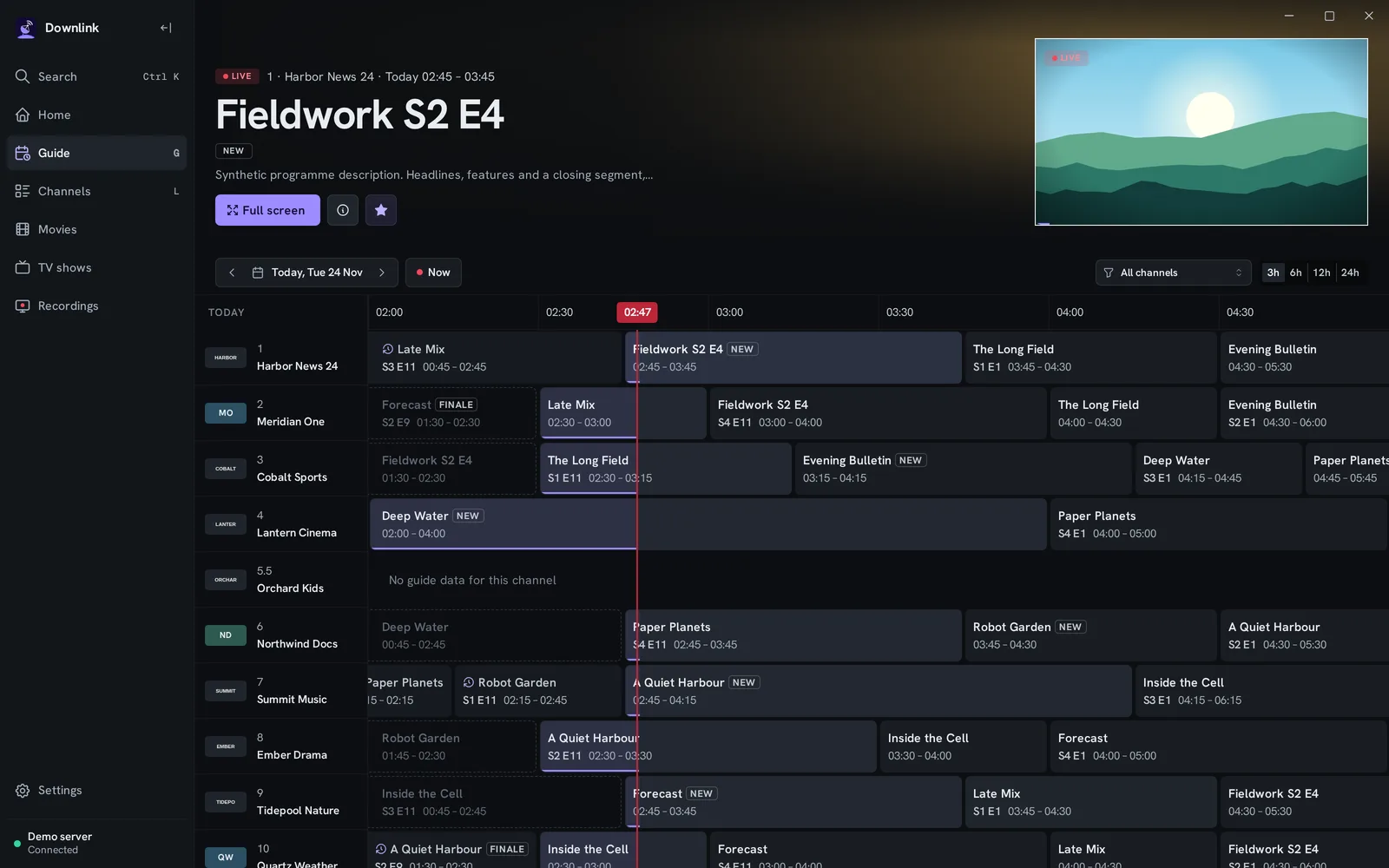
Dispatcharr is a self-hosted IPTV manager. Downlink is a desktop IPTV player that was built to make use of everything Dispatcharr offers. You get live channels and the guide, plus catch-up, movies and series, and your DVR recordings, all in one app on Windows, macOS or Linux.
Downlink works with Dispatcharr 0.32.0 or newer. Downlink is not affiliated with Dispatcharr.
What you need
- A running Dispatcharr server and its address, for example
http://192.168.1.10:9191. - A Dispatcharr API key, or the username and password of a Dispatcharr user.
- Downlink installed on your computer. Download it from the home page.
Step 1: create an API key in Dispatcharr
In the Dispatcharr web interface, open Users → API & XC and create an API key for the user you want Downlink to sign in as. Copy the key.
You can skip this step and sign in with a username and password instead. An API key is easier to revoke if you ever need to.
Step 2: add the source in Downlink
- Start Downlink. The first time it opens, it shows Add a source. After that, add more from Settings → Sources → Add source.
- Keep the Dispatcharr tab selected.
- Give the source a name, such as “Home server”.
- Enter the server URL, including
http://orhttps://and the port. - Paste the API key. To use an account instead, choose Use username and password.
- Select Test connection. Downlink connects and shows how many channels and programs it found.
- Select Save and open Live TV.
Downlink runs the first sync, then opens Live TV. Large lineups take a little longer the first time; later syncs run in the background.
Self-signed HTTPS certificates
If your Dispatcharr server uses HTTPS with a self-signed certificate on your own network, open Advanced options and turn on Allow self-signed certificate before testing the connection. Use this only for servers you control.
What you get with Dispatcharr
- Live TV and guide: channels with now/next and a full program guide, with local search of program titles and descriptions.
- Catch-up and restart: rewind to programs that have already aired, or restart the one that is on now, on channels with an archive.
- VOD: browse and play the movies and series on your Dispatcharr server.
- DVR: see, manage and play your Dispatcharr recordings.
- Multiview: watch several channels at once in a grid and choose which one you hear.
Your API key stays private
Downlink stores the API key or password in your operating system’s keychain. It is never written to Downlink’s database or to its logs.
Troubleshooting
- The connection test fails. Check that the URL includes the protocol and port, and that you can open the same address in a browser on this computer.
- The key is rejected. Create a new key under Users → API & XC and paste it again, without extra spaces.
- The certificate is rejected. See self-signed HTTPS certificates above.
- Something else. In Settings → About, choose Copy diagnostics and include the result in a GitHub issue. Credentials are always removed from it.